- Startseite /
- Bücher /
- Computer und Technologie /
- Networking & Cloud Computing /
- Network Administration /
- Linux & UNIX Administration /
- Docker for Developers: Develop and run your a...
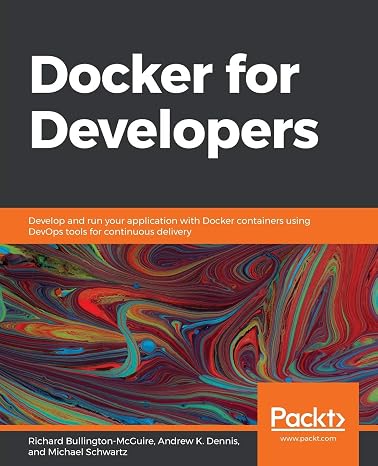
Docker for Developers: Develop and run your application with Docker containers using DevOps tools for continuous delivery
€ 65
Price Details
Excluding Shipping & Custom charges ( Shipping and custom charges will be calculated on checkout )
*All items will import from USA
QTY:
Ubuy ist bestrebt, Ihre Sicherheit und Privatsphäre zu schützen. Unser fortschrittliches Zahlungssicherheitssystem gewährleistet Vertraulichkeit, indem Ihre Daten während der Übertragung mit AES (Advanced Encryption Standards) und SSL (Secure Socket Layer) Protokollen verschlüsselt werden. Ihre Zahlungsdaten sind 100% sicher, da wir Ihre Zahlungsdaten nicht an Drittanbieter weitergeben.
Docker is the de facto standard for containerizing apps, and with an increasing number of software projects migrating to containers, it is crucial for engineers and DevOps teams to understand how to build, deploy, and secure Docker environments effectively.
Jetzt Kaufen, Später Bezahlen
Fast
Shipping
Kostenlose
Rücksendung*
Sichere Verpackung
100 % Originalprodukte
PCI DSS-Standards
ISO 27001-zertifiziert

Besondere Merkmale
Produktdetails
- Learn Docker and DevOps concepts such as continuous integration and continuous deployment (CI/CD)
- Understand how to make a deployment workflow run smoothly with Docker containers
- Gain insights into using various Docker tools and libraries
- Explore best practices for working with containers from a security perspective
- Get up to speed with creating containers and understand how they work
- Deploy and then monitor the health and logs of running containers
| Item Weight | 1.5 lbs (680 grams) |
Für wen ist das Produkt geeignet?
-
Web Developers
Web developers can efficiently manage environments and dependencies using Docker, ensuring consistent application performance.
-
DevOps Engineers
DevOps engineers benefit from streamlined continuous delivery processes and automated workflows embedded in Docker.
-
Software Teams
Teams working in collaboration can utilize Docker for unified environments, making integration and deployment seamless.
-
Beginners
Beginners without familiarity in containerization or DevOps may find Docker's complexity overwhelming and challenging to learn.
-
Non-Developers
Individuals not involved in development or IT roles may not need Docker's features, making it unnecessary for them.
-
Simple Applications
Small or simple applications may not require the extensive management and overhead that Docker introduces.
PRODUKTBESCHREIBUNG
Docker for Developers: Develop and run your application with Docker containers using DevOps tools for continuous delivery
Kunden Fragen und Antworten
-
Frage:
What is Docker and how does it benefit developers?
Antworten: Docker is an open-source platform that automates the deployment of applications inside lightweight, portable containers. For developers, this means they can easily package their applications with all necessary dependencies, ensuring that their applications run consistently in any environment. This is particularly beneficial for microservices architecture, where different services can be developed and deployed independently. Furthermore, Docker enhances collaboration among development, testing, and operations teams, making it easier to maintain consistent environments. -
Frage:
How does Docker enable continuous integration and delivery?
Antworten: Docker streamlines the CI/CD process by allowing developers to create standardized development environments, which can be integrated into automated pipelines. When you make changes to your application code, those changes can be immediately tested in an identical Docker container. DevOps tools can then build and deploy these containers with confidence, resulting in faster release cycles. This leads to higher quality software as any bugs can be detected and fixed earlier in the deployment process. -
Frage:
Do I need prior knowledge of DevOps to use Docker?
Antworten: While familiarity with DevOps concepts can enhance your experience with Docker, it is not a strict requirement. Docker can be used solely as a containerization tool, allowing developers to get started with containerization efforts independently. However, understanding the principles of continuous integration, continuous delivery, and infrastructure as code will allow you to take full advantage of Docker's capabilities. Eager learners can readily find resources and tutorials that cater to all skill levels. -
Frage:
What types of applications can be developed with Docker?
Antworten: Docker is versatile and allows for the development of a wide range of applications, from simple web apps to complex microservices architectures. Because Docker encapsulates applications along with their dependencies, it can be used for any programming language or framework, including Node.js, Python, Java, and Ruby. Developers can even run multiple instances of different applications simultaneously on the same host without conflicts, which is ideal for testing multiple versions of an app. -
Frage:
Can Docker be used for both development and production?
Antworten: Yes, Docker is designed to bridge the gap between development and production environments. Developers can use Docker to replicate their production environment locally, ensuring that the application behaves the same in both settings. This minimizes inconsistencies and the 'it works on my machine' problem. Additionally, when moving to production, containers can be orchestrated to provide scaling and manage workloads efficiently, enabling smoother transitions from development to deployment. -
Frage:
What are Docker images and containers?
Antworten: Docker images are templates used to create containers, which are lightweight, standalone, and executable software packages that include everything needed to run an application. An image contains the application's code, libraries, and dependencies. When a Docker image is executed, it becomes a container. In practical terms, developers can change their application code and re-build the Docker image to produce a new container version without altering the original template, preserving consistency. -
Frage:
How does Docker handle version control?
Antworten: Docker provides built-in version control through image tagging and Docker Compose files. Developers can tag images with version numbers, allowing them to maintain and retrieve different application states easily. Additionally, using a Docker registry, teams can manage and share Docker images efficiently. This enables seamless collaboration, where developers can pull and deploy specific versions of an application as needed, ensuring uniformity across different environments. -
Frage:
What resources are available for learning Docker?
Antworten: Various resources are available for developers eager to learn Docker, from official documentation and tutorials to online courses and community forums. Websites like Docker's own site provide extensive guides and instructional videos, while platforms such as Udemy and Coursera offer structured courses. Additionally, GitHub is a treasure trove of projects that developers can explore, giving practical insights into Docker implementation, best practices, and advanced techniques. -
Frage:
Is Docker suitable for large deployments?
Antworten: Absolutely! Docker excels in large deployments by facilitating orchestration and scalability. Tools like Kubernetes and Docker Swarm allow developers to manage, scale, and deploy containerized applications across clusters of servers. This orchestration not only simplifies managing microservices but also ensures resource optimization. Businesses can effectively allocate resources for high-demand applications, thus improving efficiency and reliability across the board. -
Frage:
Where can I buy Docker for Developers: Develop and run your application with Docker containers using DevOps tools for continuous delivery in Germany?
Antworten: You can buy Docker for Developers: Develop and run your application with Docker containers using DevOps tools for continuous delivery on Ubuy. Ubuy offers a convenient platform where you can find this comprehensive guide, allowing you to enhance your knowledge and skills in using Docker for application development.
Linux & UNIX Administration Editorial Review
The "Docker for Developers" platform is a highly recommended tool for developers who want to streamline their development process. One standout aspect of the platform is the ease with which it allows you to create and manage containers. Docker for Developers is also noted for its ability to simplify the deployment process and ability to integrate with existing development workflows. It has an intuitive interface, powerful container management, and seamless deployment capabilities, making it a must-have tool for any modern development team. However, some customers have noted that the book version of the "Docker for Developers" can be a brief high-level introduction to various products and services. It does not provide a low-level technical tour guide to working with Docker as a developer on specific scenarios. Nevertheless, the book is very comprehensive with practical examples, tools, and use cases.
Kundenbewertungen
-
5 Sterne
100%
-
4 Sterne
0%
-
3 Sterne
0%
-
2 Sterne
0%
-
1 Sterne
0%
Bewerten Sie dieses Produkt
Teilen Sie Ihre Meinung mit anderen Kunden
Vorteile
- Ease of creating and managing containers
- Simplifies the deployment process
- Ability to integrate with existing development workflows
- Intuitive interface
- Powerful container management
- Seamless deployment capabilities
Nachteile
- Brief high-level introduction to certain products and services.
Produktpreisverlauf
Wichtige Information
- Einschränkungen: Für international versandte Produkte beachten Sie bitte, dass jegliche Herstellergarantie nicht gültig sein könnte; Herstellerservice-Optionen nicht verfügbar sein könnten; Produkthandbücher, Gebrauchsanleitungen und Sicherheitshinweise nicht in der Sprache des Ziellandes verfasst sein könnten; die Produkte (und Begleitmaterialien) könnten nicht im Einklang mit den Standards, Spezifizierungen und Etikettierungsvorgaben des Ziellandes entworfen sein; und die Produkte könnten nicht der Voltzahl und anderen elektrischen Standards des Ziellandes entsprechen (weshalb, falls zutreffend, die Verwendung eines Adapters oder Umwandlers erforderlich sein könnte). Der Empfänger ist dafür verantwortlich sicherzustellen, dass das Produkt legal in das Zielland importiert werden kann. Bei der Bestellung von Ubuy oder seinen Partnern ist der Empfänger der eingetragene Importeur und muss sich an alle Gesetze und Regulierungen des Ziellandes halten.
- Nicht alle auf Ubuy aufgeführten Produkte werden zum Verkauf angeboten, da Ubuy eine globale Suchmaschine ist. Produkte unterliegen Export-/Handelsbestimmungen.
€ 65
Bestellen Sie jetzt und erhalten Sie es am Dienstag, Juni 30
Dieser Artikel unterliegt in meinem Land keinen Beschränkungen. (Klicken Sie bitte auf den obigen Link, wenn dieser Artikel in Ihrem Land keinen Beschränkungen unterliegt. Unser Team wird ihn dann prüfen und zulassen.)
QTY:
Ubuy ist bestrebt, Ihre Sicherheit und Privatsphäre zu schützen. Unser fortschrittliches Zahlungssicherheitssystem gewährleistet Vertraulichkeit, indem Ihre Daten während der Übertragung mit AES (Advanced Encryption Standards) und SSL (Secure Socket Layer) Protokollen verschlüsselt werden. Ihre Zahlungsdaten sind 100% sicher, da wir Ihre Zahlungsdaten nicht an Drittanbieter weitergeben.
Merkmale und Vorteile
- Learn Docker and DevOps concepts such as continuous integration and continuous deployment (CI/CD)
- Deploy and test Linux-based Docker containers with the help of real-world use cases
- Deploy Docker containers to a variety of environments, including the cloud-native Elastic Kubernetes Service (EKS)
- Gain insights into using various Docker tools and libraries
- Become familiar with scanning containers and using third-party security tools and libraries
- Handy reference guide for anyone working with a Docker-based DevOps ecosystem